Track Wingfoil and Windsurf with Apple Watch

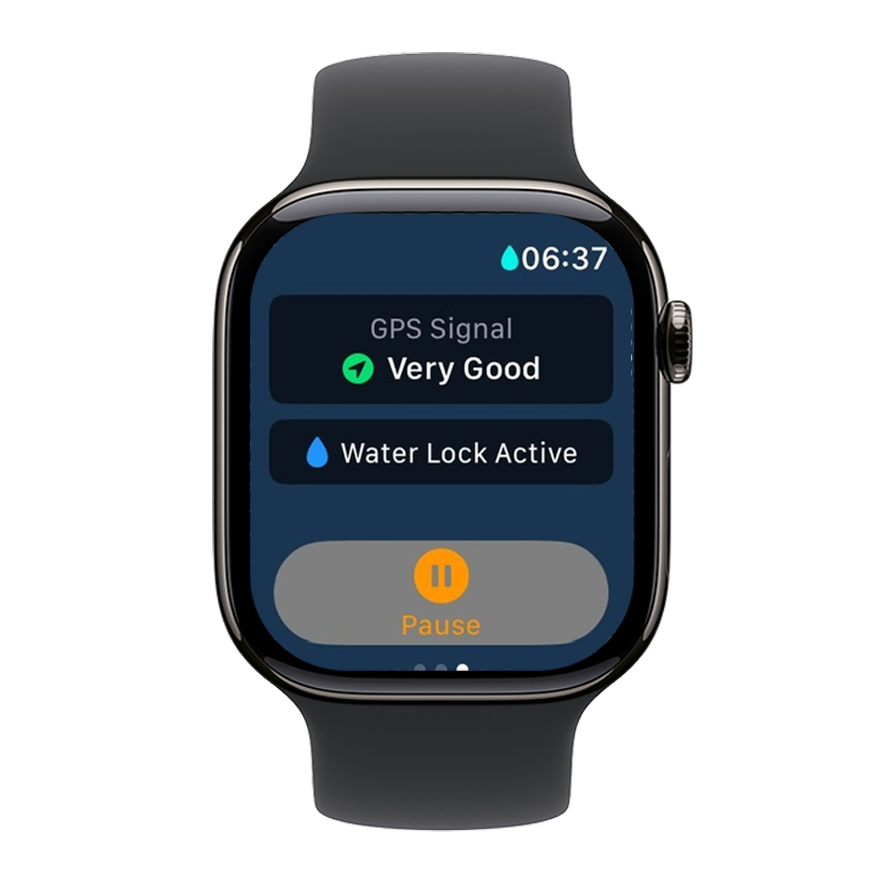
Apple Watch on the water — what WindSportTracker makes of it
The Apple Watch is standard kit for most windsurfers and wingfoilers. The real question isn’t the device — it’s the app: what does it do with the GPS track? WindSportTracker delivers what the Workout app can’t — maneuver detection, wave ride analysis and a speed profile after the session, directly on your iPhone, no export, no cloud detours.
Start a session on your wrist, track wingfoiling, windsurfing, kitesurfing or sailing — pump foil and parawing too — and get a full breakdown when you come in off the water.
If you’re on Android with a Galaxy Watch or Pixel Watch, the setup is covered in the Wear OS guide.
Compatible Apple Watch models (as of April 2026)
| Model | GPS quality | Battery (GPS, rough) | Recommendation |
|---|---|---|---|
| Apple Watch Ultra 3, 100 m water resistance | Very good (dual-frequency GPS) | approx. 10–16 h | Best pick (current) |
| Apple Watch Ultra 2 / Ultra, 100 m water resistance | Very good (dual-frequency GPS) | approx. 10–14 h | Outdoor flagship: battery & durability |
| Apple Watch Series 11 | Very good | approx. 6–9 h | Still top tier |
| Apple Watch Series 10 | Good | approx. 6–8 h | Recommended |
| Apple Watch Series 9 | Good | approx. 6–8 h | Recommended |
| Apple Watch Series 8 | Good | approx. 5–7 h | Recommended |
| Apple Watch Series 7 | Good | approx. 5–7 h | Works well |
| Apple Watch Series 6 | Good | approx. 5–7 h | Works well |
| Apple Watch SE (2nd gen.) | OK | approx. 5–7 h | Budget option |
Requirement: A watchOS version supported by the WindSportTracker watch app — check the minimum version listed in the App Store.
Setting up WindSportTracker on Apple Watch
1. Install the app
- Open the Watch app on your iPhone, or the App Store directly on the Apple Watch
- Search for “WindSportTracker” and install
- Use Wi‑Fi for the download, or pair the watch with your iPhone
2. Record a session
- Open WindSportTracker on the watch
- HealthKit (optional): In the WindSportTracker watch app Settings, choose whether sessions should also be sent to Apple Health
- Pick your sport from the 13+ available disciplines
- Tap Start
- Live view shows speed, distance and duration
- End session: Deactivate Water Lock first (press the Digital Crown until the watch unlocks), then pause and stop the recording in the app
3. Analyze the session
- Sync: The session is sent to the iPhone automatically when the watch is within Bluetooth range (typically about 8 m). If the iPhone is farther away, the session stays on the watch — when you are back in range, open WindSportTracker on the watch so transfer can start
- On the iPhone: After the session has arrived, open the phone app. At the top of the logbook, a double-arrow icon indicates sessions not yet merged into the logbook. Tap the double arrow, select the watch session in the list and tap the double arrow again behind that session to merge it
- Analysis: You can then review the session in the app on your watch, iPhone or at windsporttracker.com as usual
From Apple Fitness / Workouts to WindSportTracker
Many users have also been recording with the Workout app or Apple Fitness alongside. There is no direct GPX or FIT export available from there — migrating earlier Apple Workouts into WindSportTracker is not practical. For watersports-specific analysis (maneuvers, wave rides, speed profiles) you need new recordings with WindSportTracker on the Apple Watch.
Importing from other sources is still possible: Sessions from Garmin, Suunto and others, or any GPX/FIT file, can be imported into WindSportTracker — full analysis works with imported files too.
For new sessions we recommend recording exclusively with the WindSportTracker app on the Apple Watch — tracks and metrics land directly in the app, and optionally (see HealthKit above) in Apple Health as well.
GPS tips for Apple Watch on the water
Improve accuracy
- Use dual-frequency GPS (Apple Watch Ultra, Ultra 2, Ultra 3): under Settings → Privacy & Security → Location Services, enable the highest accuracy option (exact label varies by watchOS version)
- GPS lock on land: start the session before you get in the water — waiting 10–15 seconds is enough
- Wear the watch above the wetsuit: GPS reception is noticeably better without neoprene covering the watch
Save battery
- Turn off Wi‑Fi and Bluetooth during the session if you don’t need them (GPS works independently)
- Turn off always-on display — saves roughly 20–30 % battery
- Apple Watch Ultra and larger Series cases offer more battery, ideal for longer sessions
Known limitation
Apple Watch runs shorter in continuous GPS mode than most Garmin watches — smaller Series models come in at about 5–7 hours, the Ultra noticeably longer. That’s fine for a regular day on the water. For multi-day trips or full-day expeditions, a Garmin, Suunto, Polar or Coros is often the better fit. These connect to WindSportTracker via automatic integration under Profile — once set up, every new session syncs automatically.
What you see after the session
- Speed analysis: Average, maximum, top speeds over 2s / 5s / 10s / 500 m
- Maneuver detection: Tacks, jibes, 360s — with success rate and preferred rotation direction
- Wave ride analysis: Count, duration, distance and type
- GPS track: Map with speed heatmap
- Gear assignment: Tag board, sail, foil or kite and compare performance across sessions
Download the app
WindSportTracker is available in the App Store for iPhone and Apple Watch. The first 27 days are free. More on sports, devices and pricing at windsporttracker.com.
Frequently asked questions
Which watchOS version do I need? The minimum version listed in the App Store for WindSportTracker on Apple Watch — keep watchOS up to date where possible.
Does the app work without an iPhone connection? Yes, the watch records on its own with its own GPS. The iPhone is only needed for sync and analysis.
Can I use my iPhone for tracking? Yes, WindSportTracker also runs directly on iPhone. In a waterproof case, the phone is a solid alternative to a smartwatch.
How do sessions from Garmin, Suunto, Polar or Coros get into WindSportTracker? Link your account under Profile in the app — new sessions then sync automatically. You can set filters so only watersport activities are transferred. FIT and GPX files can still be imported manually; full analysis works with imported files too.