Equipment analysis: sails, boards and foils with their own statistics
Available for: Windsurfing, kitesurfing, wingfoiling, parawing, sailing, windfoiling, kitefoiling, landsailing, pump foiling
Updated on
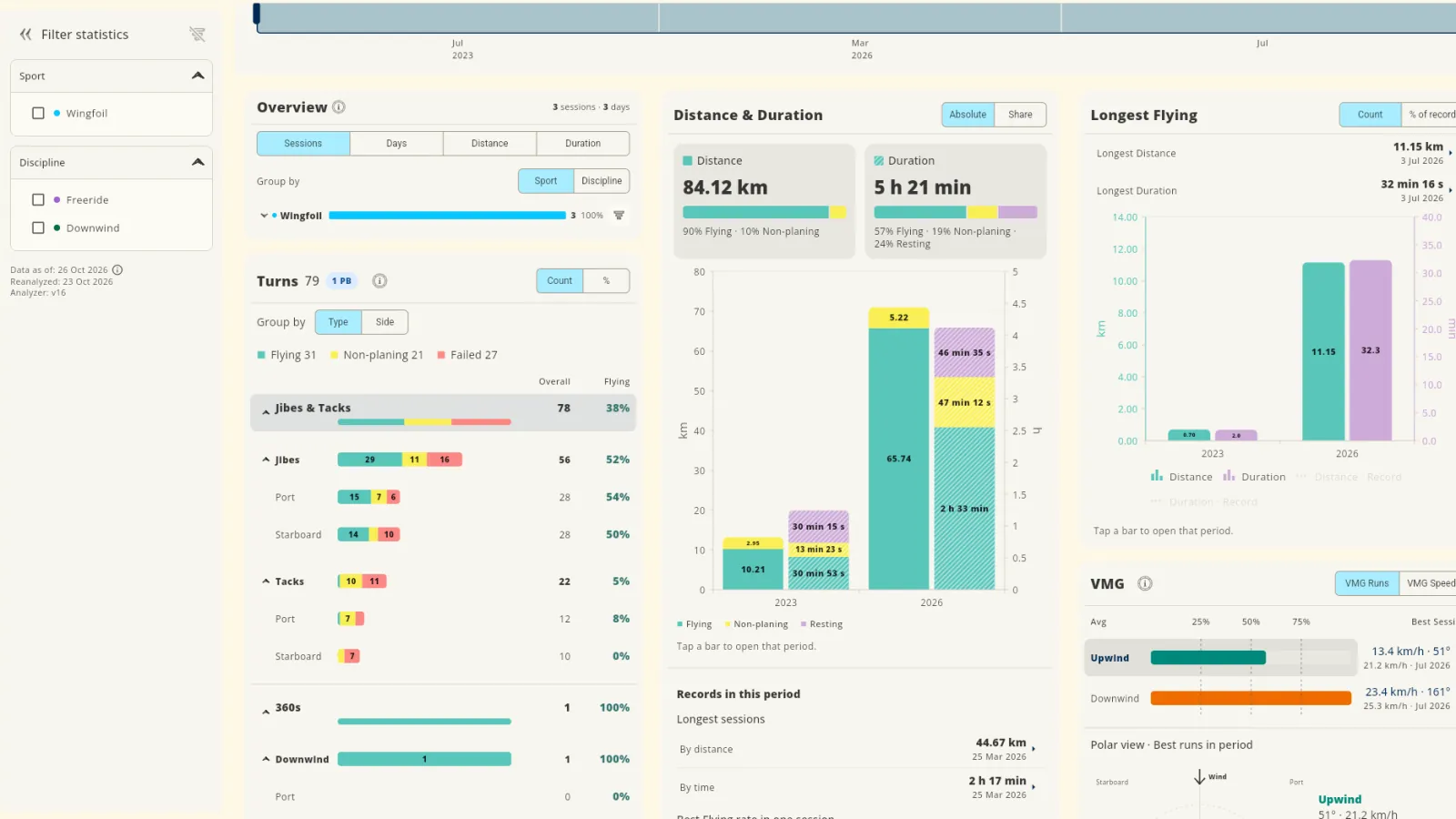
The same wind with a different sail or a different foil gives a different session. Thus, it is important to know which equipment you used. WindSportTracker lets you assign all your equipment to each session, with no limit. Each item gets its own statistics. Thus, you can see the results of each item.
You can add your own values and labels to each item. With labels, you can find the correct setup quickly, for example for light wind, strong wind, waves or speed.
During the 27-day trial, all functions are available. You can do a test of the equipment analysis with your sessions before you buy a subscription.


Assign equipment to a session
There is no limit for the equipment in a session. You can assign each item that you used. These are some examples:
- Windsurfing: sail, board, fin, mast, boom, mast extension and footstraps.
- Wingfoiling: wing, board, mast, front wing, stabilizer and shims.
- Kitesurfing: kite, bar, board and harness.
- Sailing: mainsail, headsail, gennaker or spinnaker, and hull.
- Pump foiling: board, mast, front wing, fuselage and stabilizer.
You can also assign more than one item of the same type. A tandem board with two riders can have two sails, two masts and two booms. A sailboat can have more than one sail.
To assign equipment, select each item that you used. The list shows only the equipment for the sport of the session. You can also filter the list by a label. Thus, it is only one click for each item.
Data for each item
Each item has these default values:
- Name
- Brand
- Year
- Size
- Weight
You can also add your own values, for example the length of a board or the volume of a board. These values show more information about the item.
You can also add adjustments as an item, for example shims that change the angle of the front wing. Thus, the app records not only which foil you used, but also how you set it.
Borrowed and archived equipment
You can identify an item as borrowed. When you sell an item, you can archive it. The archived item stays connected to its sessions and statistics. Thus, the history of your equipment stays complete.
Labels
You can put labels on items and on sessions. You select the labels. For example, you can make labels for light wind, strong wind, waves or speed.
You can use labels for two tasks:
- When you assign equipment: Filter the equipment list by a label. Thus, you see only the items for this setup.
- In the statistics: Filter your statistics by a label. Thus, you see your values for one type of setup or condition.
Statistics for each item
Usually, all statistics of your sessions are also available for each item. For example, these statistics include the number of sessions, the time and the distance. They also include the top speeds, the planing ratio or the flight ratio, and the maneuvers. If you used an item in the Wave discipline, you also see the wave statistics for this item. A trend shows how the values change from year to year.
Open the statistics of two items and compare their values. Use sessions with almost the same conditions. Wind, water and your riding skill also have an effect on the values. After many sessions, you can see the differences that occur again and again.
In the speed analysis, you can find your best values for one item. For example, you can find your best 500 m value with one sail.
Record and import
You can assign equipment to all sessions. The device that recorded the session is not important.
- iPhone, Android, Apple Watch and Wear OS: These devices record directly with WindSportTracker.
- Garmin, Coros, Suunto and Polar: After you connect the account one time, these watches send new sessions to WindSportTracker automatically.
- Other formats: You can also assign equipment to imported sessions.
More information about devices and import is in compatible devices.
Questions and answers
How many items of equipment can I assign to a session?
There is no limit. You can assign all items that you used, also more than one item of the same type. For example, a tandem board with two riders can have two sails and two masts.
Can I add my own values to an item?
Yes. Each item has default values: brand, year, size, name and weight. You can also add your own values, for example length or volume.
Can I archive equipment that I sold?
Yes. The archived item stays connected to its sessions and statistics. Thus, the history of your equipment stays complete.
Which statistics does the app show for an item?
Usually, all statistics of your sessions are also available for each item. If you used an item in the Wave discipline, you also see the wave statistics for this item.
Try the equipment analysis
During the 27-day trial, you can use the equipment analysis with your sessions. After the trial, WindSportTracker costs €2.70 each month or €27 each year when you pay in the web app. The price can be different in other currencies and because of taxes.