Watersport app for smartwatch, sports watch and phone
Updated on
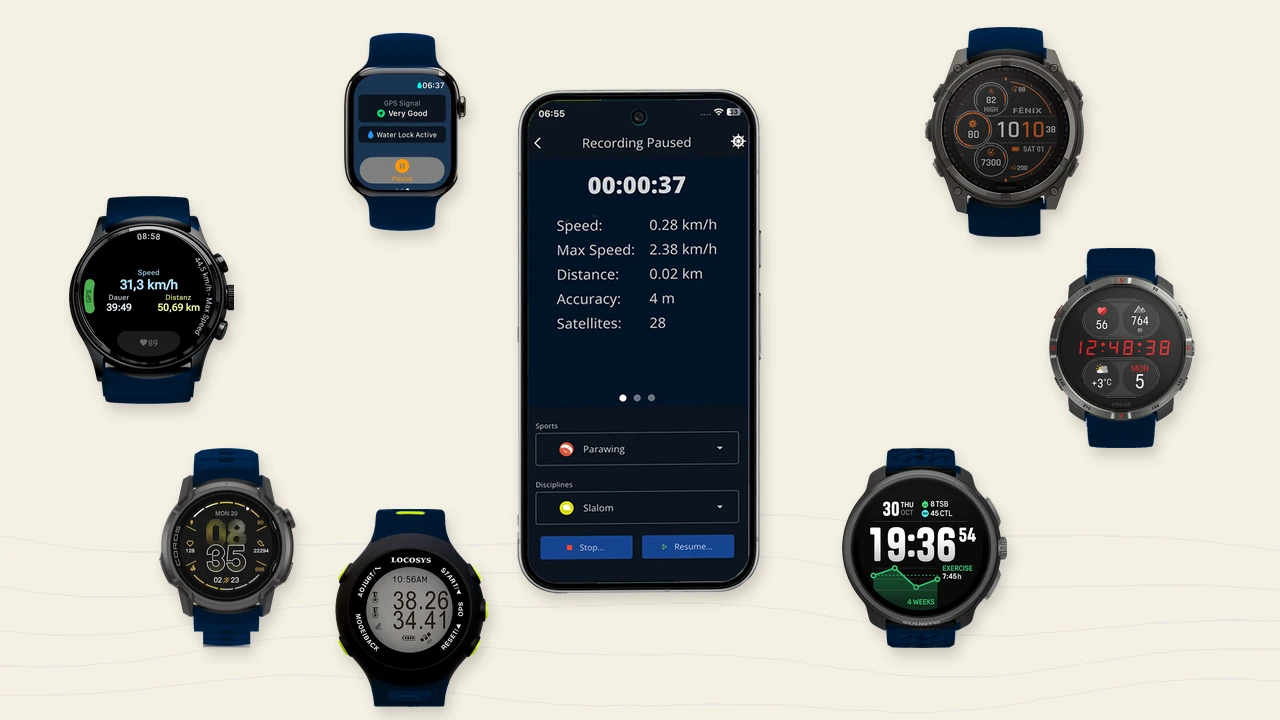
WindSportTracker records directly on iPhone, Android, Apple Watch and Wear OS. Garmin, Coros, Suunto and Polar transfer new activities automatically after you connect the manufacturer account. Locosys loggers, Amazfit watches and other devices join by file import. As soon as a suitable GPS track has arrived, WindSportTracker uses the same analysis for speed, maneuvers, gear and sport-specific phases. Only the live functions differ by recording path.
Three ways to a watersport session
Record directly with WindSportTracker. You start the session in the app on iPhone, Android, Apple Watch or Wear OS. During the ride you see the values WindSportTracker can calculate live.
Transfer automatically from the manufacturer. Garmin, Coros, Suunto and Polar record with their own sport profiles. After the connection under Profile, WindSportTracker fetches matching activities automatically.
Import manually as a file. Locosys, Amazfit and further devices export files that you import into WindSportTracker after the session.
Record directly with WindSportTracker
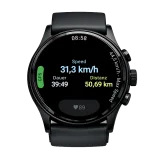
For a direct recording you first choose sport and discipline. That matters because windsurfing, wingfoiling and other sports have different phases and maneuvers. Speed, total distance, session duration, and distance and duration of the current planing or flight phase run on the display.
For direct recording on iPhone, Android, Apple Watch and Wear OS, WindSportTracker can announce speed during the ride. In the WindSportTracker watch apps you can optionally or additionally enable a vibration when a new session top speed is reached. Apple Watch and Wear OS can also record heart rate. Heart-rate data from Garmin, Coros, Suunto and Polar is transferred to WindSportTracker with the manufacturer activity. On some manufacturers and models, for example Garmin Fenix, you can also set your own distance or time alarms.
iPhone and Android
iPhone and Android offer the speed announcement during the ride as well as the same live displays for speed, distance, session duration and the current planing or flight phase. The only limitations versus the watch apps are the missing top-speed vibration and the missing heart-rate recording.
On the water you need a waterproof case. From long personal experience we recommend Fidlock, for example as an upper-arm bag or SUP chest bag. Start the session on land if you can, wait briefly for GPS lock, and stow the phone so that it has as clear a view of the sky as possible during the ride.
Apple Watch
The Apple Watch uses a native WindSportTracker companion app. You install it through the Watch app on the iPhone, start the session directly on your wrist, and record with the watch GPS without a connection to the iPhone. As soon as the watch is connected again later, the session is transferred to WindSportTracker automatically.
Apple’s standard Workout app is not the right path for this. It does not give WindSportTracker the raw data needed for maneuvers, speed intervals and sport-specific analyses.
Guide: Apple Watch watersport tracking.
Wear OS
On Wear OS you install WindSportTracker directly from the Google Play Store on the watch. After that you record without a smartphone connection and transfer the session to WindSportTracker on the phone after the ride. Galaxy Watch Ultra2 and Pixel Watch 5 are examples of watches with dual-frequency GPS.
Guide: Wear OS wingfoil and windsurf tracking.
Automatic manufacturer transfer
You connect Garmin, Coros, Suunto and Polar in WindSportTracker under Profile. There you sign in with the manufacturer and set in WindSportTracker which activities should be received. This activity filter is a positive list of activity types: only matching watersport activities reach WindSportTracker, while running, cycling and other workouts stay in the manufacturer account.
Garmin
Garmin Fenix is widespread among windsurfers and wingfoilers, but it is not the only matching Garmin series. You can use a standard profile, create a suitably named custom activity profile, or use a Connect IQ app such as App Pro Bond Edition. What matters is gap-free recording with one sample per second (1 Hz), Auto-Pause disabled, and no manual pauses, so maneuvers and speed sections are not cut by missing points. Check on the watch that Auto-Pause is disabled.
Guide: Garmin watersport tracking. In the forum: How to use data from Garmin devices.
Coros
COROS is the only manufacturer with a dedicated windsurfing and speedsurfing mode — but only on the outdoor range (APEX Pro, APEX 2 and 2 Pro, VERTIX series). PACE and NOMAD models record water sports as flatwater. The activity filter follows from that: windsurfing, custom or flatwater, depending on what the watch sends. If the filter does not match, the session never arrives.
Guide: COROS watersport tracking.
Suunto
Suunto carries windsurfing, kitesurfing, surfing, standup paddling, sailing and water sports as activities of their own; which of them sit on the watch depends on model and firmware. For wingfoiling and parawing it is the only manufacturer that allows custom sport modes. For the transfer, the English activity name is what counts, not the name you gave the mode.
Guide: Suunto watersport tracking.
Polar
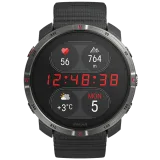
On a Polar the sports live in the account, not on the watch: you add the profile — windsurfing, kitesurfing, SUP or sailing, for instance — in Polar Flow and sync it to the watch. A maximum of 20 profiles fit. Heart rate data from the Polar activity is carried into the analysis.
Guide: Polar watersport tracking.
Locosys and Amazfit: file import
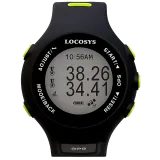
Locosys GT11, GT31, GW52 and GW60 are well known among speed windsurfers. You import SBN and SBP files manually into WindSportTracker; there is no automatic manufacturer sync. You export Amazfit sessions as GPX and TCX files and import them manually as well. In addition WindSportTracker supports FIT, GPX, TCX, OAO, GPY and VKX for sessions from other devices and tools.
Guide: Locosys GPS import.
Device comparison for watersports
The matrix compares typical recording paths and concrete devices so you can place direct WindSportTracker recording, automatic manufacturer transfer and manual file import more clearly. The comparison is limited to functions that are interesting or useful in a wind and watersport context. Other device properties are not considered here; plenty of general comparisons already exist for those.
| Feature | iPhone | Android | Apple Watch Ultra 3 | Galaxy Watch Ultra2 | Pixel Watch 5 | Garmin Fenix 9 Pro | Garmin Instinct 3 | Coros Vertix 2S | Coros Pace 4 | Suunto Vertical 2 | Suunto Race S | Polar Grit X2 Pro | Polar Vantage M3 | Locosys |
|---|---|---|---|---|---|---|---|---|---|---|---|---|---|---|
| Direct recording in WindSportTracker | Yes | Yes | Yes | Yes | Yes | No | No | No | No | No | No | No | No | No |
| WindSportTracker companion app | No | No | Yes | Yes | Yes | No | No | No | No | No | No | No | No | No |
| Automatic manufacturer transfer | No | No | No | No | No | Yes | Yes | Yes | Yes | Yes | Yes | Yes | Yes | No |
| Manual file import as the main path | No | No | No | No | No | No | No | No | No | No | No | No | No | SBN/SBP |
| GNSS technology | model-dependent | model-dependent | Dual-band | Dual-band | Dual-band | Dual-band | Dual-band | Dual-band | Dual-band | Dual-band | Dual-band | Dual-band | Dual-band | Single-band |
| Recording rate | 1 Hz | 1 Hz | 1 Hz | 1 Hz | 1 Hz | 1 Hz (check the setting) | 1 Hz (check the setting) | 1 Hz | 1 Hz | 1 Hz | 1 Hz | 1 Hz | 1 Hz | GT11/GT31 1 Hz; GW52/GW60 1 or 5 Hz |
| GPS battery life | model-dependent | model-dependent | not stated separately | 20 h GPS in power-saving mode | not stated separately | Up to 45 h at maximum accuracy (51 mm) | not stated separately | 43 h Dual-Frequency | 31 h Dual-Frequency | 65 h Multi-Band | 30 h Multi-Band | 43 h Dual-Frequency with optical heart rate | 30 h Dual-Frequency | GW52 7 h at 5 Hz; other Locosys figures are not directly comparable |
| Standalone calling | Yes | Yes | Yes, with Cellular | Yes, with LTE | Yes, with LTE | No | No | No | No | No | No | No | No | No |
| Emergency or SOS communication | Yes | Yes | Emergency SOS via cellular or satellite | Emergency SOS via LTE | Satellite SOS available regionally | inReach with a matching variant, coverage and plan | Assistance only with a connected phone | — | — | — | — | — | — | — |
| Contactless payments | Apple Pay | Google Wallet | Apple Pay | Samsung Wallet | Google Wallet | Garmin Pay | Garmin Pay | — | — | — | — | Separate Fidesmo wristband only | Separate Fidesmo wristband only | — |
| Water resistance | Suitable case required | Suitable case required | 100 m | 10 ATM | 5 ATM | 10 ATM | 10 ATM | 10 ATM | 5 ATM | 10 ATM | 5 ATM | WR100 | WR50 | IPX7 |
| Live display of planing or foil distance | Yes | Yes | Yes | Yes | Yes | No | No | No | No | No | No | No | No | No |
| Live display of planing or foil duration | Yes | Yes | Yes | Yes | Yes | No | No | No | No | No | No | No | No | No |
| Spoken speed during the ride | Yes | Yes | Yes | Yes | Yes | No | No | No | No | No | No | No | No | No |
| Vibration alert on a new session top speed | No | No | Yes | Yes | Yes | No | No | No | No | No | No | No | No | No |
| Heart-rate recording | No | No | Yes | Yes | Yes | Yes | Yes | Yes | Yes | Yes | Yes | Yes | Yes | No |
| Price level | 💰💰–💰💰💰💰 | 💰–💰💰💰💰 | 💰💰💰💰 | 💰💰💰💰 | 💰💰💰 | 💰💰💰💰 | 💰💰 | 💰💰💰💰 | 💰💰 | 💰💰💰💰 | 💰💰 | 💰💰💰💰 | 💰💰 | 💰–💰💰💰, mostly used |
| Other features | App always with you | Large device choice | Action Button, siren | Quick Button, bright display | Google Health, Fitbit | Maps, inReach option | Rugged, LED flashlight | Long runtime | Lightweight | Offline maps, LED light | Compact with maps | Rugged flagship | Compact Polar option | Specialized GPS loggers |
GNSS note: Dual-band and 5 Hz describe different properties. Dual-band can reduce interference in satellite reception; 5 Hz stores more samples per second. A higher sample rate is therefore not automatically more accurate.
Battery note: Manufacturer figures are produced under different conditions. Display, heart rate, LTE, music, navigation and satellite mode change the actual runtime.
Water note: Water resistance is not a permanent property. Age, impacts, repairs and damaged seals can reduce it. Smartphones need a case or pocket that is suitable for the water.
Shared analysis after the session
After transfer or import, WindSportTracker works with the track itself. The analysis includes speed intervals, selectable runs, detected maneuvers including side, sport-specific planing or flight phases, wave rides where they fit the sport and session, assigned gear, and long-term comparisons by month, season or year.
The difference sits before the analysis: with direct recording you already see WindSportTracker values on the water. With Garmin, Coros, Suunto, Polar, Locosys or file import the same analysis appears after the session as soon as a suitable track is available.
Privacy and trial
Sessions sit on servers in Germany. WindSportTracker does not share your data with third parties and shows no ads. Details: Is my data private and secure?.
You can test the app for 27 days with the full feature set. After that WindSportTracker costs €2.70 per month or €27 per year when you pay via the web app. The amount can differ in other currencies and because of taxes. Prices in the App Store and Play Store can differ.
Community and support: forum.
Frequently asked questions
Do I need a smartwatch?
No. You can record a session directly with an iPhone or Android smartphone in a suitable waterproof case or pocket.
Do I need a smartphone to record with the watch?
No. Apple Watch and Wear OS watches record independently with their own GPS. The smartphone is then needed to transfer the session to WindSportTracker and analyse it.
How does the activity filter stop running and cycling workouts from being imported?
When you connect Garmin, Coros, Suunto or Polar, you set in WindSportTracker which activity types should be received. Only matching activities reach WindSportTracker; running and cycling stay in the manufacturer account.
Is the analysis limited after auto-sync or file import?
No. As soon as a suitable GPS track is available, WindSportTracker runs the same sport-specific analysis as for a direct recording. Only the WindSportTracker live displays are missing on external recordings.
Which Garmin recording is suitable for WindSportTracker?
You can use a standard profile, a suitably named custom profile, or a Connect IQ app. What matters is gap-free recording with one sample per second, Auto-Pause disabled, and no manual pauses.
How do I import a Locosys session?
Export the SBN or SBP file from a GT11, GT31, GW52 or GW60 and then import it manually into WindSportTracker.
Compatible devices at a glance
As of September 2026. Search for a device name or jump directly to a group. Included are devices with their own GPS and the transfer path described in each case.
71 devices found
No compatible device with that name found.
iPhone
Direct recording with WindSportTracker.
- iPhone 6s or later iOS 15 or later; built-in GPS
Android
Direct recording with WindSportTracker.
- Android phone with built-in GPS Android 6.0 or later; API 23; roughly from 2015
Apple Watch
Direct recording with the WindSportTracker companion app; watchOS 10 or later.
- Apple Watch Series 4 or later
- Apple Watch SE All generations
- Apple Watch Ultra All generations
Wear OS
Direct recording from Wear OS 3 and API 30; built-in GPS required.
- Google Pixel Watch 1 to 5
- Samsung Galaxy Watch 4 to 8
- Samsung Galaxy Watch FE
- Samsung Galaxy Watch Ultra and Ultra2
- OnePlus Watch 2, 2R, 3 and 4
- OPPO Watch X, X2 and X3
- Xiaomi Watch 2 and 2 Pro
- Mobvoi TicWatch E3
- Mobvoi TicWatch Pro 3 and Pro 3 Ultra
- Mobvoi TicWatch Pro 5 and Pro 5 Enduro
- Mobvoi TicWatch Atlas
- Fossil Gen 6 Wear OS 3 update must be installed
- Skagen Falster Gen 6 Wear OS 3 update must be installed
- Michael Kors Gen 6 Wear OS 3 update must be installed
- Diesel Griffed Gen 6 Wear OS 3 update must be installed
- Razer x Fossil Gen 6 Wear OS 3 update must be installed
- Montblanc Summit 3
- Citizen CZ Smart Gen 2
Garmin
Automatic maker transfer via Garmin Connect; built-in GPS and mobile sync required. Record at 1 Hz, auto-pause off, no manual pauses.
- Garmin Fēnix 3 to 9
- Garmin Epix
- Garmin Enduro
- Garmin Instinct and Instinct Crossover
- Garmin Forerunner
- Garmin Venu, Venu Sq and Venu X1
- Garmin Vivoactive
- Garmin Quatix
- Garmin Tactix
- Garmin Descent
- Garmin D2
- Garmin MARQ
- Garmin Swim 2
- Garmin Lily 2 Active
- Garmin Legacy Hero and Legacy Saga
Coros
Automatic maker transfer via the Coros app.
- Coros Pace 1 to 4
- Coros Pace Pro
- Coros Apex and Apex Pro
- Coros Apex 2 and Apex 2 Pro
- Coros Apex 4
- Coros Vertix
- Coros Vertix 2 and Vertix 2S
- Coros Nomad
Suunto
Automatic maker transfer via the Suunto app; mobile/Bluetooth sync required.
- Suunto Ambit3
- Suunto Traverse and Traverse Alpha
- Suunto Spartan Trainer Wrist HR
- Suunto Spartan Sport Wrist HR and Wrist HR Baro
- Suunto Spartan Ultra
- Suunto 5 and 5 Peak
- Suunto 7
- Suunto 9, 9 Baro, 9 Peak and 9 Peak Pro
- Suunto Race, Race S and Race 2
- Suunto Vertical and Vertical 2
- Suunto Ocean
Polar
Automatic maker transfer via Polar Flow; built-in GPS required.
- Polar Grit X, Grit X Pro, Grit X2 and Grit X2 Pro
- Polar Ignite, Ignite 2 and Ignite 3
- Polar M200, M400 and M430
- Polar Pacer and Pacer Pro
- Polar Street X
- Polar Vantage M, M2 and M3
- Polar Vantage V, Vantage V Titan, V2 and V3
Locosys
Manual import of SBN and SBP files.
- Locosys GT11
- Locosys GT31
- Locosys GW52
- Locosys GW60
Motion GPS
Manual import of OAO files.
- Motion GPS
Vakaros
Manual import of VKX files.
- Vakaros Atlas family
ESP32/DIY-GPS
Manual import of GPY files.
- ESP32-/DIY-GPS